Visualization
Visualization is the project's first priority. The turboswarm.viz module consumes
a PsoResult and uses matplotlib. Because record_history=True by default,
every run is ready to animate.
Note
viz imports matplotlib lazily, and the example scripts keep visualization
optional (behind --plot / --animate), so the core runs without it.
Convergence curve
import matplotlib.pyplot as plt
import turboswarm as pso

r = pso.minimize("rastrigin", bounds=[(-5.12, 5.12)] * 2, seed=1)
pso.viz.plot_convergence(r)
plt.show()
Comparing variants
compare takes a dict {name: PsoResult} and overlays their convergence
curves:
runs = {
    "inertia/global": pso.minimize("rastrigin", bounds=[(-5.12, 5.12)] * 2,
                                   velocity="inertia", topology="global", seed=7),
    "fips/ring": pso.minimize("rastrigin", bounds=[(-5.12, 5.12)] * 2,
                              velocity="fips", topology="ring", seed=7),
}
pso.viz.compare(runs)
plt.show()
Animating the swarm (2D)
r = pso.minimize("rastrigin", bounds=[(-5.12, 5.12)] * 2, seed=1)
anim = pso.viz.animate_swarm(r, pso.benchmarks.rastrigin, [(-5.12, 5.12)] * 2)
plt.show()
# In a notebook:  from IPython.display import HTML; HTML(anim.to_jshtml())
# Save a GIF:      from matplotlib.animation import PillowWriter
#                  anim.save("swarm.gif", writer=PillowWriter(fps=10))
animate_swarm only supports 2D problems and requires record_history=True.
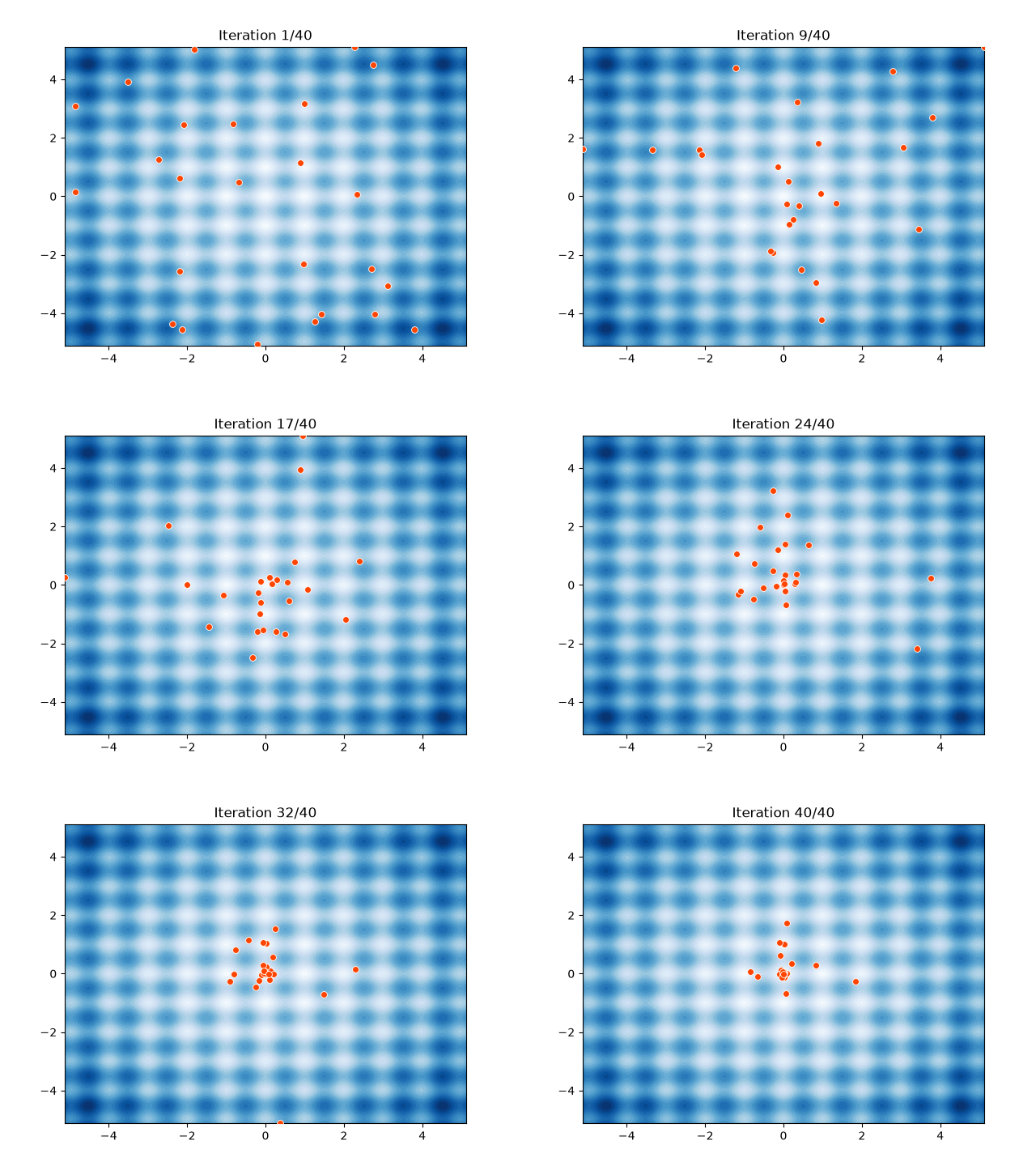
The GIF above is produced by scripts/make_swarm_gif.py.
3D landscape and swarm
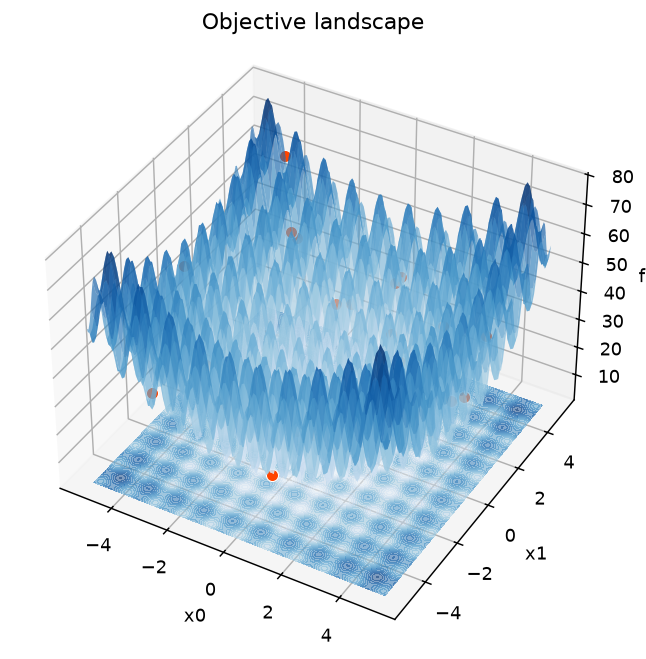
For a more striking view, render the objective as a 3D surface. Pass the
final swarm to plot_surface to drop the particles onto the landscape:
r = pso.minimize("rastrigin", bounds=[(-5.12, 5.12)] * 2, seed=3)
pso.viz.plot_surface(pso.benchmarks.rastrigin, [(-5.12, 5.12)] * 2,
                     points=r.history[-1])
plt.show()
animate_swarm_3d turns it into an animation: the particles fly over the
surface, the best-so-far is marked with a gold star, and the camera slowly
rotates.
anim = pso.viz.animate_swarm_3d(r, pso.benchmarks.rastrigin, [(-5.12, 5.12)] * 2)
plt.show()
# Save a GIF:  anim.save("swarm3d.gif", writer="pillow", fps=10)
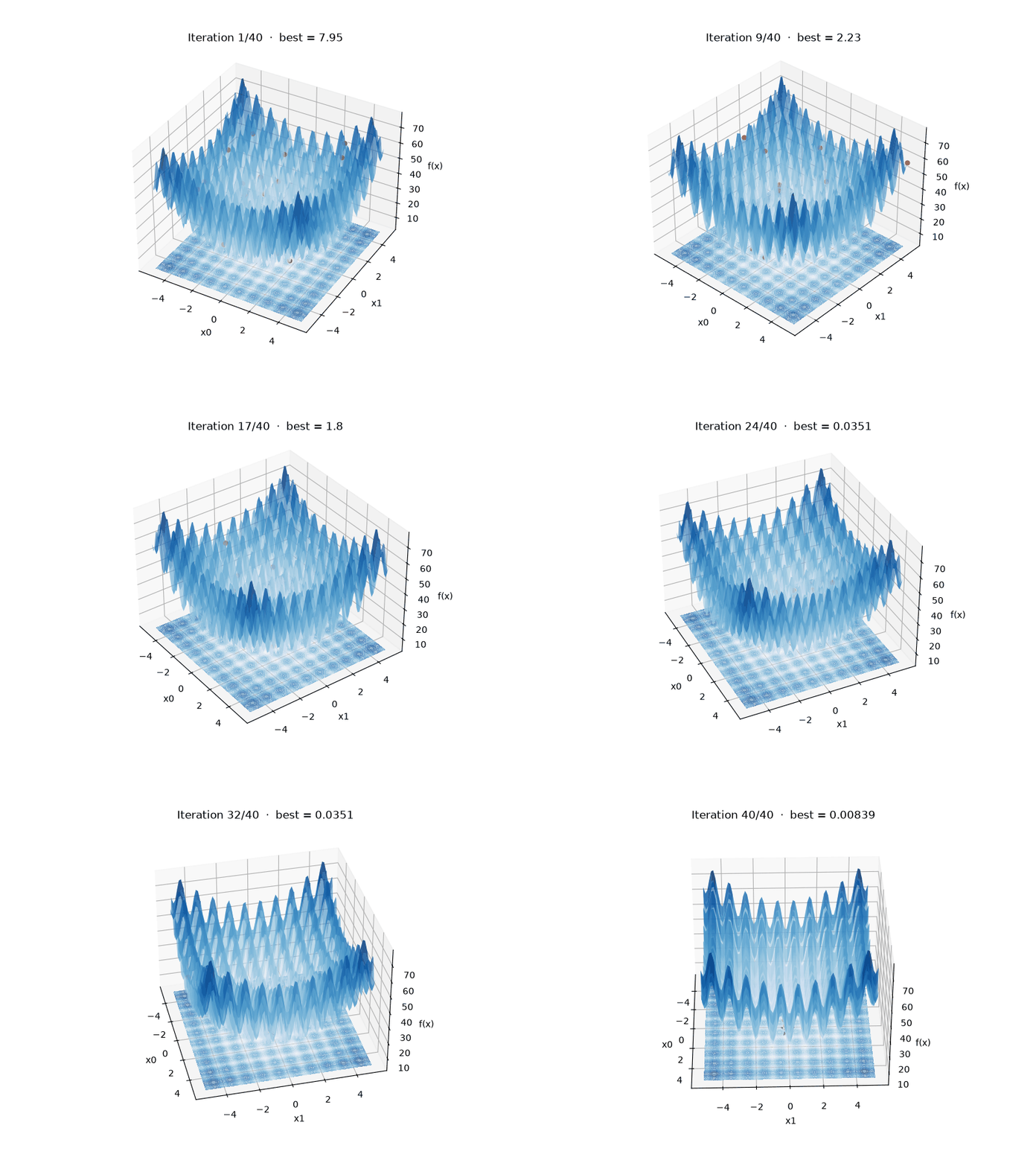
Both 3D helpers support 2D problems (the surface is f(x0, x1)); the
animation needs record_history=True. Tune the look with cmap, resolution,
elev/azim (static) or rotate=False (animation).
High-dimensional swarms (3D projection)
plot_surface / animate_swarm_3d draw a true landscape, so they are for 2D
problems. For more than two dimensions, animate_swarm_projected projects
each particle to 3D — with PCA (default, fit over the whole run so the view is
stable) or by picking three dimensions — and colors particles by their objective
value when you pass the function:
r = pso.minimize("rastrigin", bounds=[(-5.12, 5.12)] * 8, seed=2)   # 8-D

# PCA projection, colored by objective:
pso.viz.animate_swarm_projected(r, function=pso.benchmarks.rastrigin)

# or pick three dimensions explicitly:
pso.viz.animate_swarm_projected(r, dims=(0, 3, 5))
Interactive plots (Plotly)
For zoom/hover/pan in notebooks and on the web, the plotly_* helpers return a
Plotly figure (install pip install turboswarm[plotly]):
pso.viz.plotly_convergence(r).show()
pso.viz.plotly_compare({"inertia": rA, "fips": rB}).show()
pso.viz.plotly_pareto(front).show()
pso.viz.plotly_pareto_evolution(front).show()   # animated 2-objective front
Log scale
The convergence helpers default to a log y-axis. When the objective goes to
0 or negative (so the curve has non-positive values), they automatically
fall back to a linear axis — a log scale would otherwise silently drop those
points — and log a warning.
Dashboards (Streamlit / Gradio)
For a no-code control panel with live swarm and convergence plots, launch the interactive dashboard (two interchangeable front-ends):
pip install "turboswarm[gui]"          # Streamlit
turboswarm-gui                          # or: turboswarm-gui --backend gradio

pip install "turboswarm[gui-gradio]"   # Gradio
turboswarm-gui-gradio
Both let you pick a benchmark, variant, topology and coefficients, run the
optimizer, watch the swarm over the landscape (or a PCA projection for >2D), and
stack several runs in a comparison tab — all over the public turboswarm API.
Exporting the run (CSV / Parquet)
Export the per-iteration history or the convergence curve for analysis elsewhere
(needs pip install turboswarm[pandas], or [parquet] for Parquet):
from turboswarm.integrations import pandas as ts_pandas

ts_pandas.to_csv(r, "history.csv")                       # one row per (iter, particle)
ts_pandas.to_csv(r, "convergence.csv", kind="convergence")
ts_pandas.to_parquet(r, "history.parquet")
# or get DataFrames directly: ts_pandas.history_dataframe(r) / convergence_dataframe(r)
Sensitivity plots
See Sensitivity analysis for viz.plot_sensitivity (a line
for one swept hyperparameter, a heatmap for two).
Logging
turboswarm follows library conventions: it attaches a NullHandler and never
configures logging itself. Turn on log output from your application:
import logging
logging.basicConfig(level=logging.INFO)
# viz then logs run comparisons and animation frame counts on the
# "turboswarm.viz" logger.